Thelivry Portal
The operational counterpart to the Thelivry app
Overview
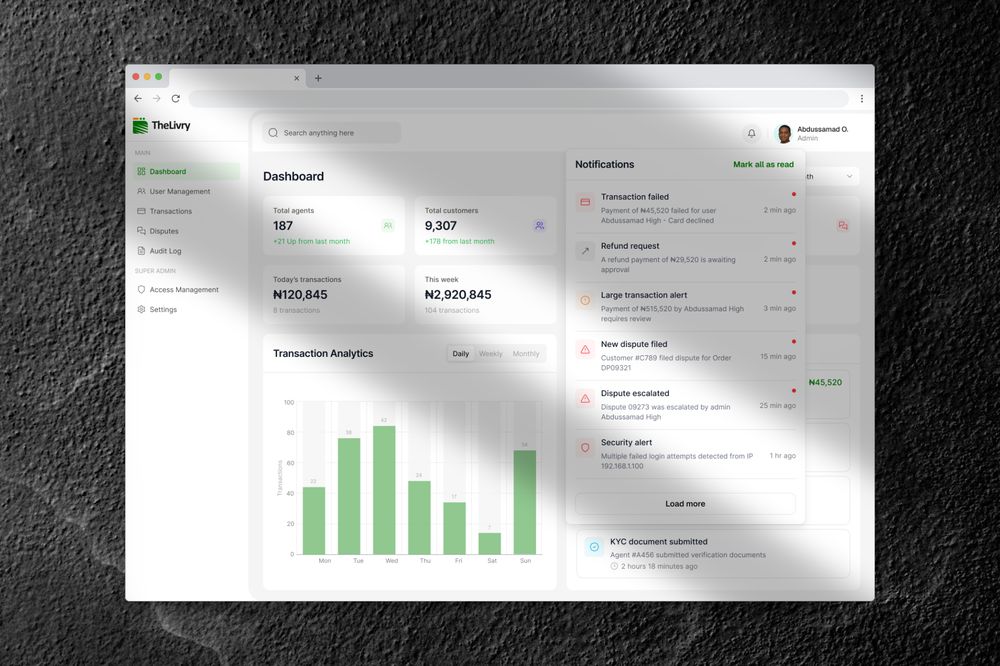
A marketplace where strangers negotiate prices and hand off packages to each other doesn't run on the app alone. Someone has to watch the transactions moving through escrow, review a new provider's KYC submission, and step in when a sender and a rider disagree about what happened. Thelivry Portal is that layer, the console an internal team uses to keep the marketplace itself running, sitting behind the app rather than in front of a customer.
What's in it
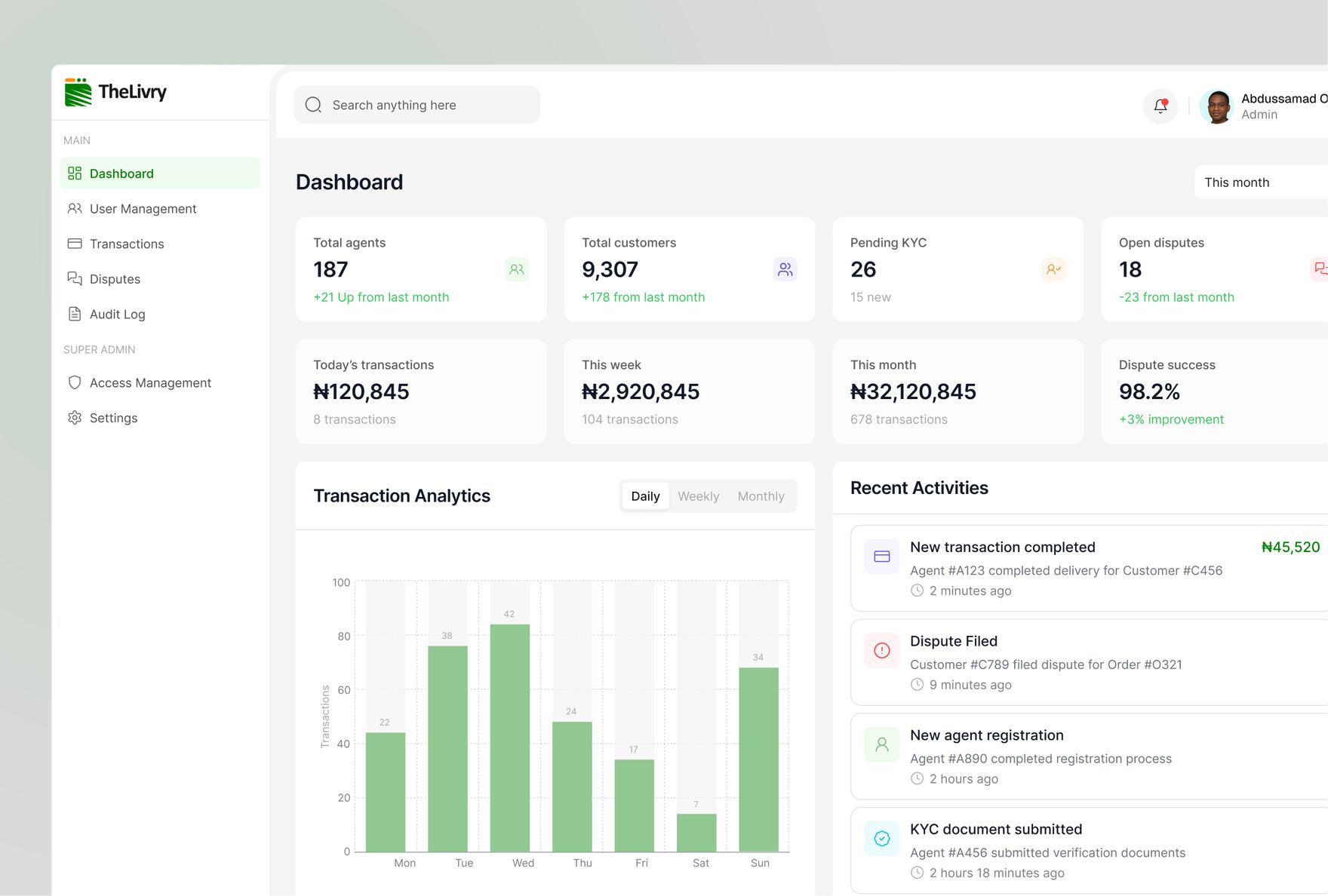
One dashboard, an ops-eye view
Total agents, total customers, pending KYC, and open disputes sit as top-line numbers, alongside daily transaction volume and a recent-activity feed. The state of the platform is readable in one glance rather than assembled from memory or a half-dozen separate lists.
Alerts sorted by what they actually are
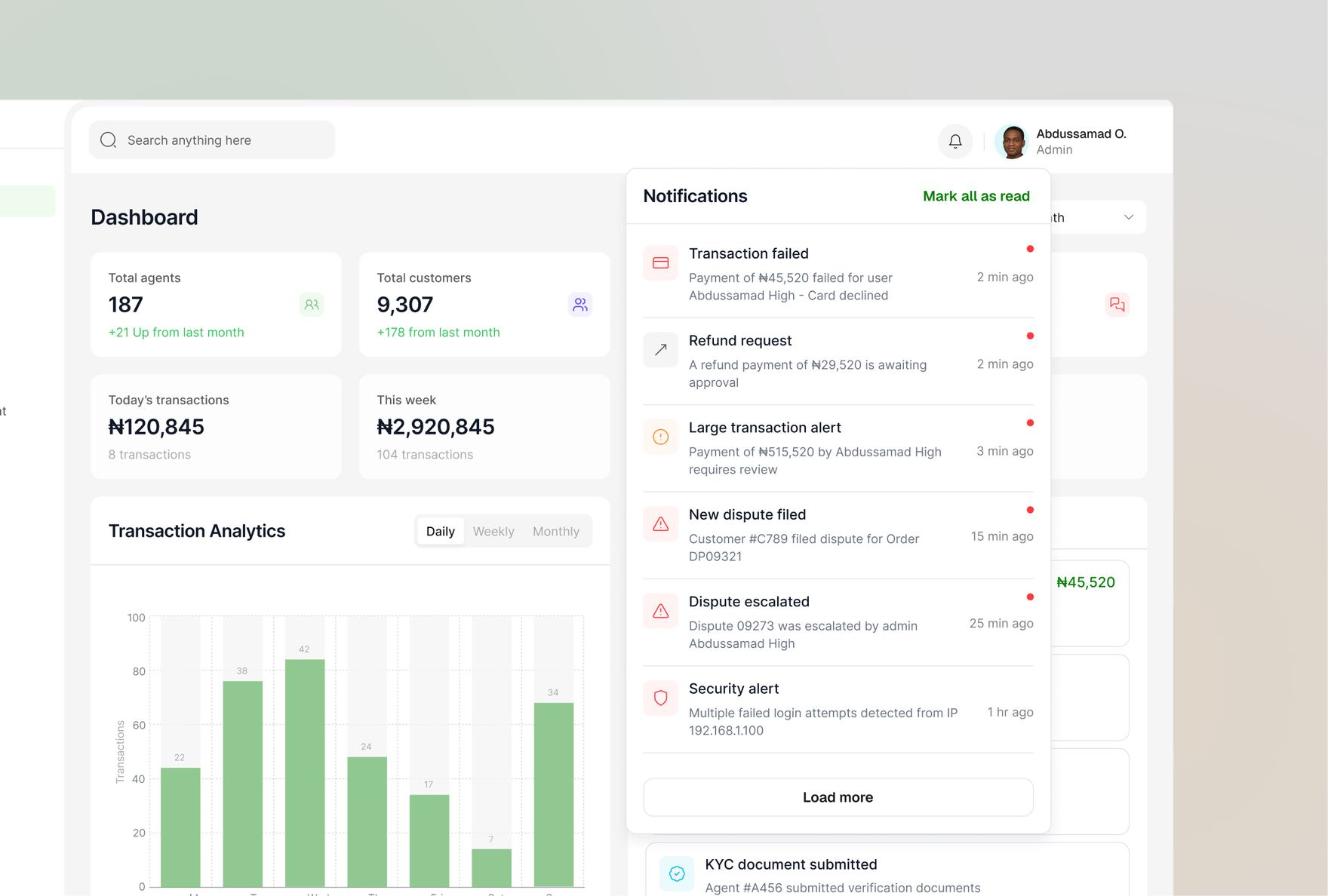
Failed transactions, refund requests, large-payment flags, dispute escalations, and security alerts land in one panel, each tagged by type, so a large-payment review doesn't sit at the same visual weight as a routine KYC submission.
A dispute opens with the evidence already attached
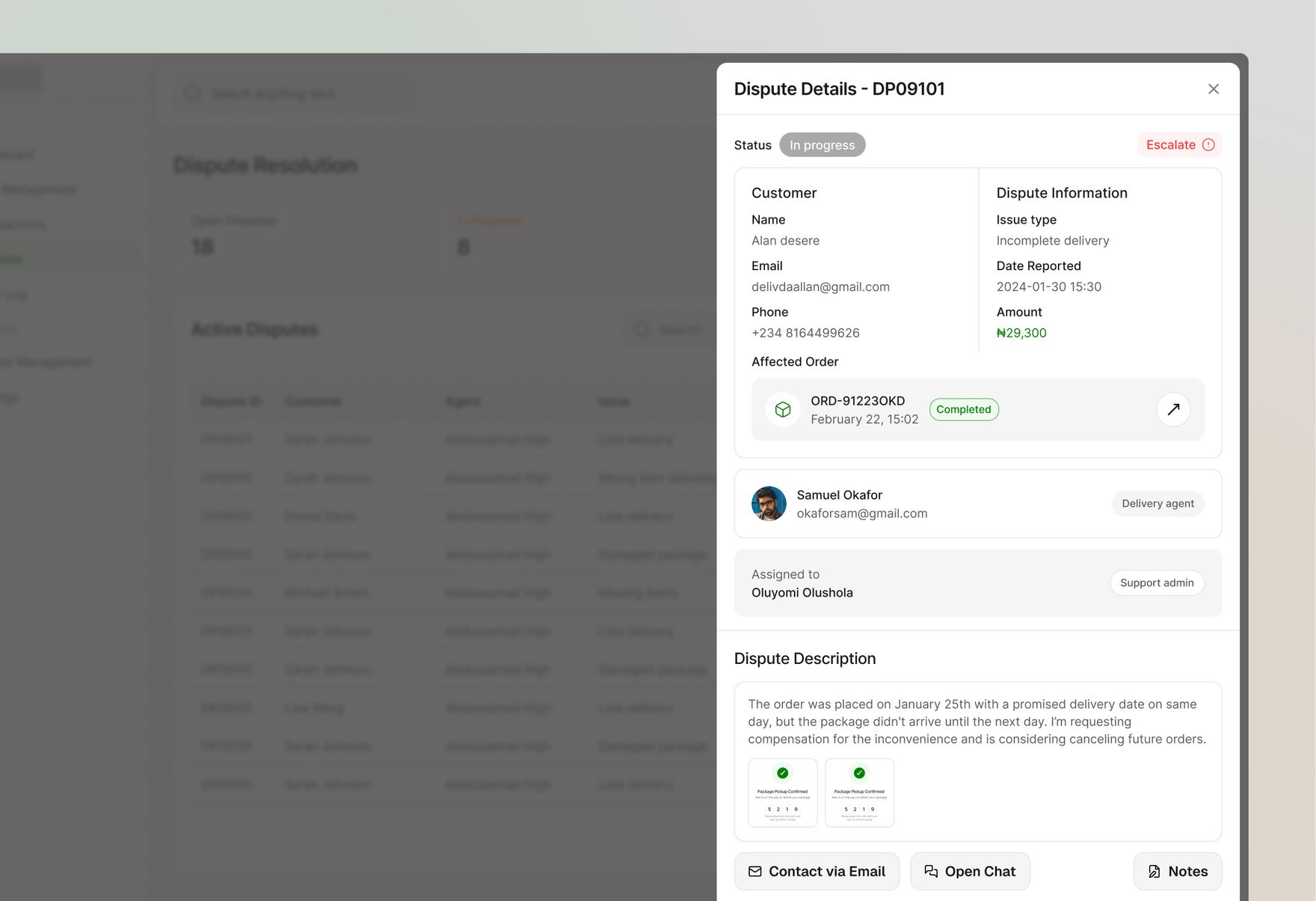
Pulling up a dispute surfaces the customer, the affected order, the assigned agent, and the actual handover-code confirmation screens both parties saw at the moment of delivery. Resolution starts from what the app already recorded, not a blank complaint form.
Roles scoped to the job, not one login for everything
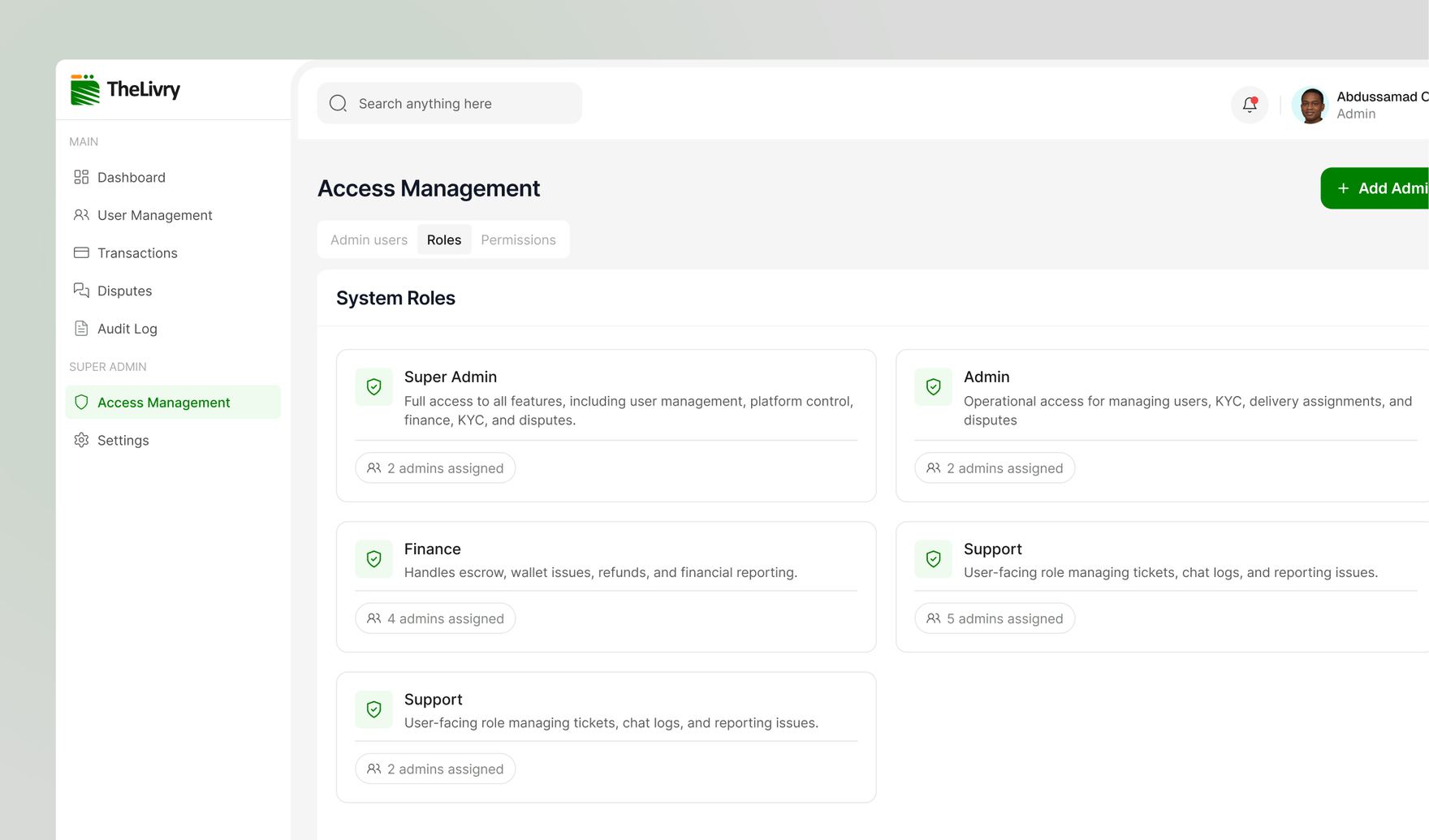
Access splits into five system roles, Super Admin, Admin, Finance, and two Support configurations, each described by what it actually touches. Finance handles escrow, wallet issues, refunds, and financial reporting. Support manages tickets, chat logs, and reporting issues. Nobody needs full platform access just to resolve a customer's ticket.
Every action traceable to a person
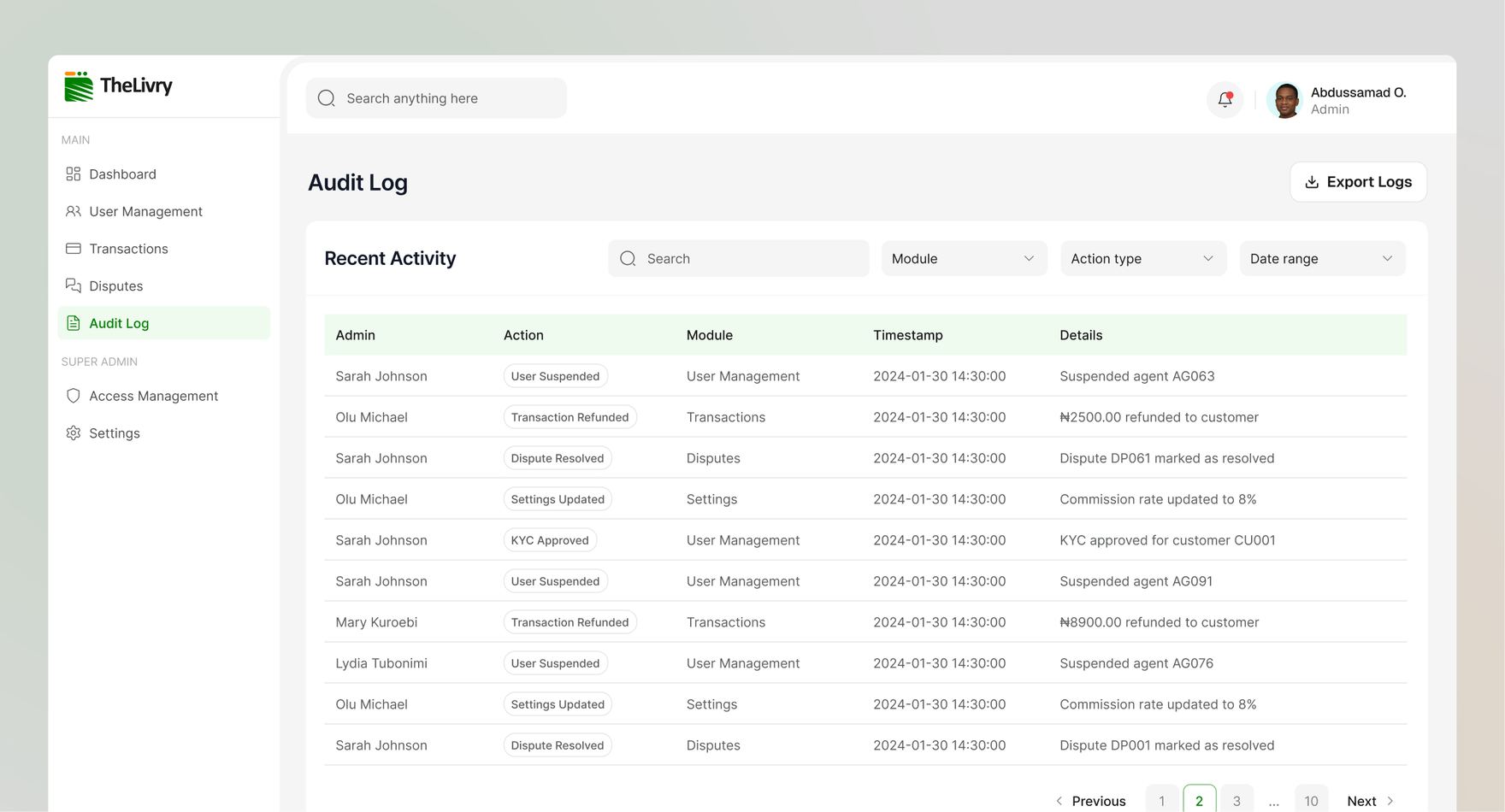
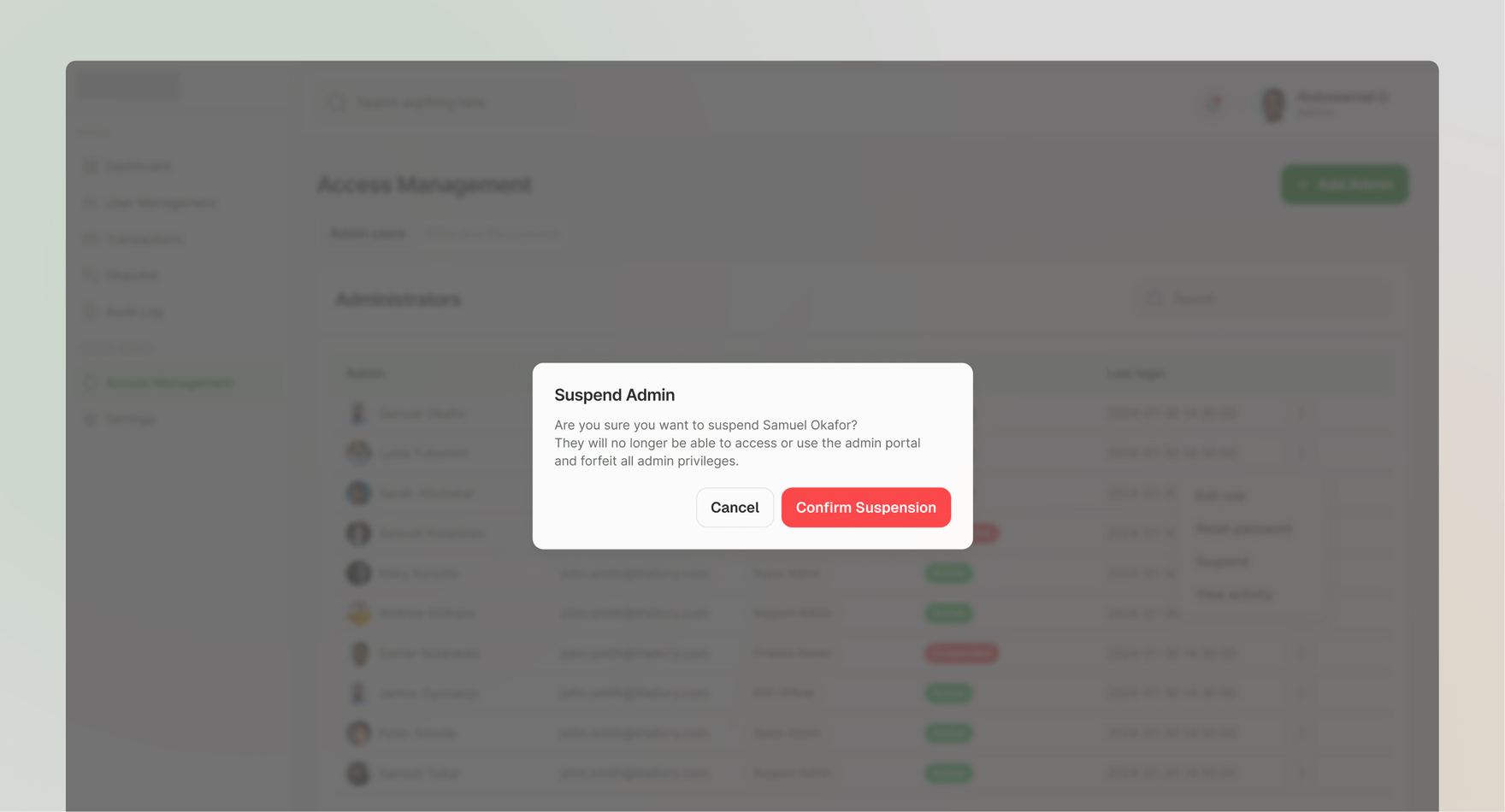
The audit log records who did what, on which module, and when, a suspended agent, a refunded transaction, a resolved dispute, a changed commission rate, filterable by module, action type, and date range, with an export option. "Who approved this" or "who changed that" always has a name and a timestamp attached rather than a shrug.